
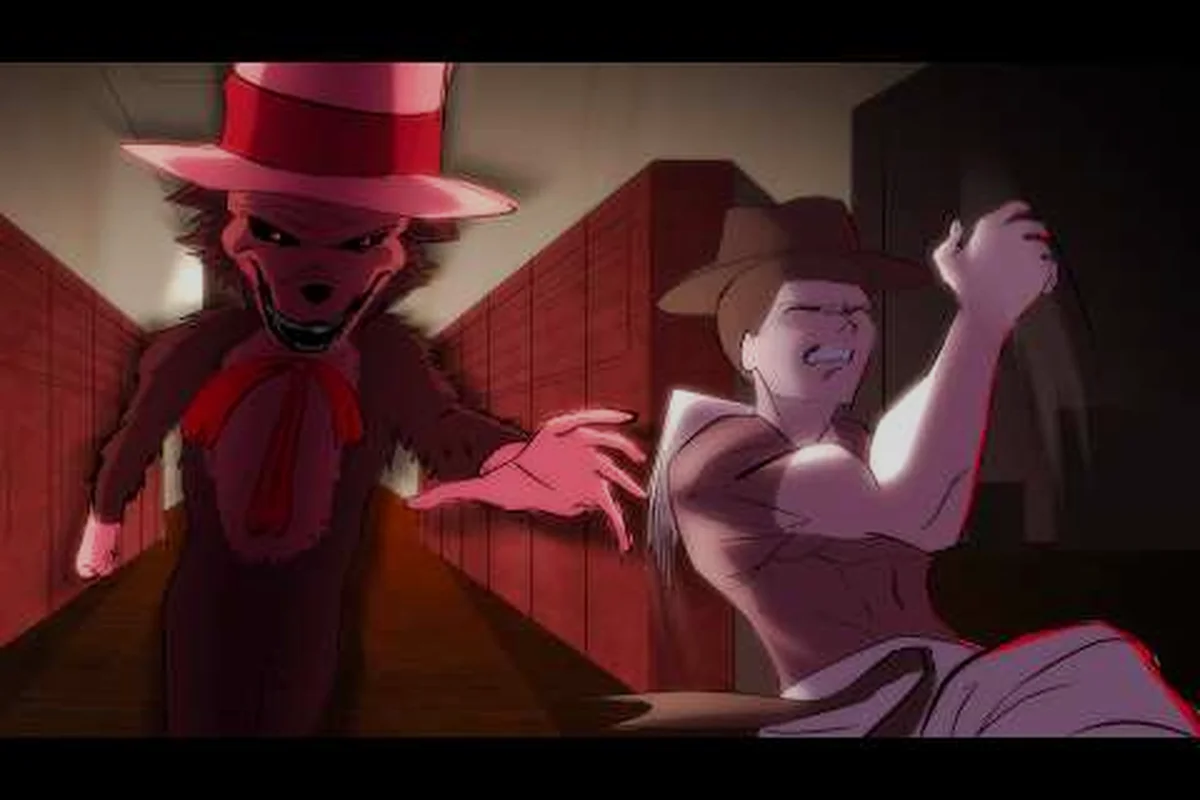
Scream And Run Sprint Controls Explained From the First Step You Take
Scream And Run sprint controls decide almost every outcome in the dark school, because the Cat in the Hat tracks you by sound, not by line of sight. Hold Shift to sprint across open hallways, and you trade a chunk of stamina for top speed plus a loud footstep profile. The instant you let go, your character drops back to walk speed, so timing the press is the skill that separates a clean escape from a locker-sized coffin. This guide breaks down the keybind, the stamina math, the noise cost, and how to layer sprinting with crouching, crawling, and the flashlight toggle so you stop wasting bar every chase.
If you have only thirty seconds, remember this: Shift sprints, C crouches, hold C to crawl, Shift + C slides during a chase, and F flips the flashlight. Every other question on Scream And Run sprint controls flows from that one line.
The Core Sprint Keybind and What It Actually Does on Your Keyboard
The sprint button in Scream And Run is bound to Shift on PC, and the binding sits on the left side of the keyboard on purpose. Your index finger wants to flick it the moment a chase starts, so the developer put it next to WASD rather than off on a side key. Holding Shift while any movement key is pressed accelerates your character to top speed, and the moment you release Shift your speed drops back to walking. This is not a toggle; there is no "double-tap Shift to autorun" in the current build, and the keybind cannot be rebound to a mouse button through the in-game settings menu as of September 2026 according to the official Scream And Run game page.
Because sprinting is a held key, your thumb has a real job. Players who treat Shift like a turbo button usually panic-tap it on and off, which means they keep spending stamina on a stop-start pattern that gets the worst of both worlds: noisy feet and empty bar. The cleaner habit is to hold Shift for one clean burst, release fully, and wait for the stamina bar to refill before the next burst.
Sprinting vs Walking vs Crouching at a Glance
| Movement Mode | Keybind | Top Speed | Noise Level | Stamina Cost | Best Use |
|---|---|---|---|---|---|
| Walk | WASD only | 1.0x (baseline) | Quiet | None | Searching desks, listening for the Cat |
| Sprint | Shift + WASD | ~1.8x | Loud (max audio radius) | Drains ~12% per second held | Long open hallways, closing a gap |
| Crouch walk | Hold C + WASD | ~0.55x | Very quiet | None | Creeping past a Patrolling route |
| Crawl | Hold C, no WASD (or in tight gaps) | ~0.25x | Silent | None | Under desks, inside lockers, hiding spots |
| Slide | Shift + C during a chase | ~2.0x burst | Loud (peak) | One-time chunk (~25%) | Slipping under a swinging door or obstacle |
Notice the crouch button does not cost stamina at all, which is why "how to hide" almost always means crouch + a tight gap, not sprint + a corner. The crouch keybind is C, and you hold it the same way you hold Shift. Players looking for a one-line summary of the crouch button should remember that C also doubles as the crawl button when you stand still or when you walk into a low obstacle.
How Stamina Drain Works When You Hold Shift
Stamina in Scream And Run is a single shared resource that every action pulls from. Sprinting is the second biggest consumer in the game, behind only the slide burst. According to community testing, holding Shift drains roughly 12% of the stamina bar per second on the standard PC keybind, and the bar refills at about 8% per second when you let go of Shift. The math matters because it means a sprint you hold for 3 seconds costs about 36% of the bar, and you need roughly 4.5 seconds of standing still to refill it. That refill window is exactly the kind of pause that gets you caught if you are standing in the middle of a hallway.
Sprinting also has a small startup delay. If you tap Shift for under a quarter second, the engine treats the action as a noise event but cancels the acceleration, so you pay the stamina and the audio cost without getting the speed benefit. Community reports describe this as the "ghost sprint" bug, and the practical fix is to commit to a sprint of at least half a second so you actually get the distance for your bar.
Stamina Cost by Action (Community-Reported Values)
| Action | Stamina Cost | Refill Pause Needed | Audio Radius |
|---|---|---|---|
| Hold Shift (sprint) | ~12%/sec while held | 1 sec sprint = 1.5 sec refill | Max |
| Shift + C slide | ~25% one-time | 3+ sec refill | Max (brief) |
| Crouch (hold C) | 0% | None | Quiet |
| Crawl (hold C, still) | 0% | None | Silent |
| Flashlight toggle (F) | 0% (battery cost instead) | N/A | Silent (light, not noise) |
| Jump (Space) | ~8% per jump | ~1 sec refill | Medium |
The two takeaway numbers for the stamina bar are the 12% per second drain while sprinting and the 8% per second refill at rest. Anything that drops you under 20% of the bar is dangerous because you will not have enough stamina to slide under a closing door if the Cat pins you in a chase.
The Noise Trade-Off: Why Sprinting Gets You Caught
Scream And Run is built around a noise-based detection system, and sprinting produces the largest audio radius of any movement you can perform. The Cat in the Hat listens for footstep events, and sprint events are flagged at roughly 3x the radius of walking events based on community testing. That means sprinting is not just louder, it pulls the Cat's attention from a much wider ring of rooms, including rooms you cannot see on your screen. Many players describe the moment the Cat locks on as "teleporting" toward them, but the real cause is a sprint event 30 to 40 studs behind them.
The noise rule is the reason how to hide in this game almost never involves sprinting into a locker. By the time you reach the locker, the Cat has already heard you coming. The professional play is to crouch walk into a room, hold C to crawl under a desk, and only sprint after the Cat has committed to chasing a different player or has already lost the audio trail.
When to Sprint and When to Stay Quiet
| Situation | Sprint or Walk? | Reasoning |
|---|---|---|
| Crossing an open hallway with no nearby Cat | Sprint (brief burst) | Open sightlines are dangerous at walk speed |
| Approaching a desk to search for a key | Walk | Footstep audio near a search animation gives away your position |
| Cat spotted 2 rooms away, door open | Walk or crouch | Sprint audio will pull the Cat toward you |
| Cat chasing you in the same room | Sprint + slide combo | Speed is your only survival tool here |
| Inside a locker or under a desk | No movement | The Cat checks lockers and desks if audio is recent |
| Hiding from a Cat patrol, line of sight lost | Crouch + crawl | Stay silent until the audio ring resets |
| Last 2 keys, exit door in sight | Sprint, full commit | You cannot afford to walk the final stretch |
The pattern across the table is that sprinting is a committed action with a known cost. Use it when speed is the only thing keeping you alive, and avoid it whenever the Cat is close enough to hear your footstep event on its current patrol route.
How to Layer Sprint Controls With Crouch, Crawl, Flashlight, and Slide
Sprint controls do not exist in a vacuum. The real skill is combining Shift with the other keybinds so that every action pulls its weight. The five keybinds players should know by reflex are Shift (sprint), C (crouch and crawl), F (flashlight), Space (jump), and the directional keys. Each one has a different audio and stamina cost, and the right combo is what separates a panic player from a survivor.
The Full PC Keybind Map
| Action | Keybind | Notes |
|---|---|---|
| Move | WASD | Hold to move, release to stop |
| Sprint | Shift | Hold while moving |
| Crouch / Crawl | C | Hold to crouch, hold still to crawl, works in tight gaps |
| Slide | Shift + C | Used mid-chase to slip under obstacles |
| Flashlight | F | Toggle on or off; drains battery, not stamina |
| Jump | Space | Small stamina cost, small audio radius |
| Interact (keys, doors) | E | Hold to pick up, tap to interact |
| Drop / hide prompt | Q | Confirms hiding inside a locker |
Sprint + Crouch: The "Quiet Sprint" Myth
A common question players ask is whether crouching while sprinting makes the sprint quieter. It does not. Crouching while holding Shift just slows you down, because the crouch speed multiplier applies on top of the sprint multiplier. You end up spending stamina at the sprint rate while moving only slightly faster than a crouch walk, which is the worst of both worlds. The honest answer is that there is no such thing as a quiet sprint. If you need quiet movement, you have to release Shift.
Crouch Button and Crawl Button Are the Same Key
A second point of confusion is the relationship between the crouch button and the crawl button. The C key is the crouch button, and it is also the crawl button. The difference is whether you are moving. Hold C while pressing WASD and you crouch walk. Hold C while standing still (or in a tight gap such as under a desk), and your character drops into a crawl pose that is silent and slow. This is the correct way to use the crawl button, because crawling while still trying to move is the same input as crouch walking in most cases. Holding the crouch key while the crawl button is held lets you stay low to peek corners without committing to the slower crawl movement, and if you need to bail out fast the Scream And Run How To Run guide covers how to chain a sudden sprint away from threats the instant you release the crouch.
Flashlight Key and How to Use the Flashlight
The flashlight key is F, and it toggles the flashlight on and off. The flashlight does not drain stamina, but it drains a separate battery meter that slowly recharges when the light is off. Because the flashlight makes your character visible at long range, the rule is to keep the flashlight off in safe rooms and to flip it on only for short bursts when searching a dark classroom for a hidden key. Players who hold F down like a sprint button will burn the battery in roughly 30 to 40 seconds, and they will be back in the dark at the worst possible moment.
A common newbie mistake is to sprint with the flashlight on, which combines two of the loudest actions in the game: a sprint audio event plus a beam of light that the Cat can use to confirm your position. The clean play is to sprint only with the flashlight off, or to use a very short flashlight tap to clear a corner before you commit to a sprint.
Slide Combo: Shift + C During a Chase
The slide is the single most stamina-expensive action in the game at about 25% of the bar for a single burst, but it is also the only way to fit through certain low obstacles during a chase. To slide, sprint in one direction and then press C at the same time. Your character drops low and slides forward, slipping under a swinging door or a fallen locker. The slide is loud, so it is a chase action only; do not use it to move around the map at any other time.
Common Sprint Mistakes and How to Fix Them
Even experienced Scream And Run players fall into the same handful of sprint traps, and most of them trace back to the stamina bar or the audio radius. Below are the patterns that show up most often in community reports, along with the fix that turns the habit around.
Sprinting Into a Room Before Checking It
The most common cause of an early death is sprinting into a room to grab a key without first listening at the door. The Cat spawns in unpredictable classrooms, and a sprint event from the hallway is exactly the kind of audio cue it patrols toward. Fix: walk to the door, hold the crouch button, listen for two seconds, then sprint only if the room is clear.
Panic-Sprinting After the Cat Sees You
Once the Cat has visual confirmation of your character, sprinting in a straight line is a death sentence because the Cat matches your sprint speed and catches up to you within a few seconds. Fix: sprint, slide under a low obstacle, then immediately drop into a crawl under a nearby desk to break the line of sight and the audio trail.
Holding Shift While Searching for a Key
The search animation locks your movement but does not stop the stamina drain if Shift is still held. Players who leave their finger on Shift through the whole search waste a third of the bar for no speed benefit. Fix: tap Shift only when you are actually moving between desks, and release it the moment the search prompt appears.
Sprinting With the Flashlight On
The flashlight key and the sprint key together make your character the loudest, most visible target on the map. Fix: keep the flashlight off in the open, sprint with the light off, and only toggle the flashlight on for one-second bursts inside a dark room.
Tapping Shift for Fake Sprints
Light taps of Shift cost stamina and audio radius without giving you the distance. Fix: commit to a sprint of at least half a second, or do not press Shift at all.
Frequently Asked Questions
What is the sprint key in Scream And Run?
The sprint key is Shift on PC. Hold Shift while pressing any movement key (WASD) and your character accelerates to the fastest walking speed in the game. The keybind is not currently rebindable through the in-game settings menu according to the official Scream And Run game page, and there is no toggle or autorun option as of the September 2026 build.
How do I crouch and crawl in Scream And Run?
Hold the C key to crouch. While crouching, your character moves at about 55% of walk speed and produces very little footstep audio. If you hold C while standing still, or while moving through a tight gap such as under a desk, the character drops into a crawl pose that is fully silent. C is both the crouch button and the crawl button; the difference is whether you are moving.
How does the flashlight work, and what key toggles it?
Press F to toggle the flashlight on and off. The flashlight drains a separate battery meter rather than the stamina bar, and the battery slowly recharges while the light is off. Keep the flashlight off in open hallways and only flip it on for short searches of dark classrooms, because the beam makes you visible from far away and pairs badly with sprinting.
When should I sprint versus walk in Scream And Run?
Sprint only when speed is the difference between safety and a chase, such as crossing an open hallway with no nearby Cat, escaping a confirmed chase, or closing the last gap to the exit door. Walk whenever you are inside a room, near a desk, or approaching a door, because the sprint audio radius is roughly 3x walking and pulls the Cat in from neighboring rooms. The crouch and crawl modes are almost always better than sprinting for sneaking.
Why does sprinting drain my stamina so fast, and how do I refill it?
Holding Shift drains stamina at about 12% per second and refills at about 8% per second when you release the key, based on community testing. To refill efficiently, release Shift fully and stand still for at least two seconds between sprint bursts. Avoid using the slide combo unless you are in a chase, because the slide costs roughly 25% of the bar in a single burst and locks you into a long refill window.